







uSmart Expansion Port Explained: Endoscope, Microscope & Modular Accessories on Rugged Phones
Modular accessory systems for phones have a poor track record. The ones that failed were general-purpose — platforms that asked buyers to invest in modules before they had a specific job for them.
Ulefone’s uSmart Expansion Connector takes the opposite approach, and that’s why it’s still here. It exists to solve one narrow, real problem: inspection work requires optics a phone can’t contain, and buying a separate tool for it means carrying, charging and maintaining a second device.
Here’s how the port works, what actually connects to it today, and which models have it.
What the uSmart Expansion Connector is
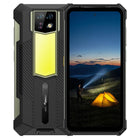
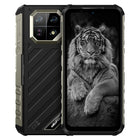
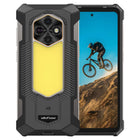
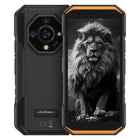
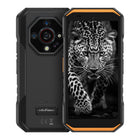
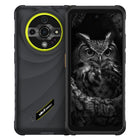
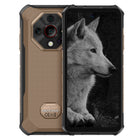
It’s a dedicated physical connector on the back of the device, distinct from the USB-C port on the bottom. Accessories attach to it directly — no cable adapter, no dongle, no Bluetooth pairing.
Ulefone’s specification sheets describe it in two forms: “uSmart Expansion Connector” on earlier models and “uSmart Expansion Connector 2.0” on the majority of current ones. Across the current range, 24 phones and tablets list the port.
The design decision that actually matters: your charging port stays free
This is the part worth understanding, because it’s the difference between a usable field tool and an accessory you stop carrying.
A USB-C accessory occupies the only port on the device. While an inspection camera is plugged in, the phone cannot charge. For a ten-minute look inside a wall cavity that’s irrelevant. For a technician running a camera intermittently across a full shift — on a device already working hard with the screen on — it matters a great deal, because inspection work tends to happen at the end of a long day on site, when the battery is already down.
The uSmart connector sidesteps this entirely. 21 of the 24 specification sheets state explicitly that the device supports simultaneous charging while the uSmart Connector is in use, several of them specifying that charging continues via the Type-C port. You can run an endoscope off a power bank indefinitely.
The three models whose sheets don’t carry that statement are the Armor 24 Pro, Armor 26 Ultra and Armor 26 Ultra Walkie-Talkie Version — their sheets describe the connector without addressing simultaneous charging either way.
What plugs into it
Four accessories are currently built for the uSmart connector. These are the specifications as Ulefone publishes them:
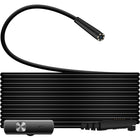
uSmart E02 — Endoscope 2.0
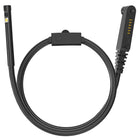
The mainstream inspection option. Dual camera, 1080P resolution, 7 dimmable LEDs, a 2-metre cable and an IP67 rating, supplied with a hook, a magnet and a protective case.
The dual-camera arrangement matters more than the headline resolution: a side-facing lens alongside the forward one means you can look at a pipe wall or a cavity side without having to physically steer the probe to face it. The magnet and hook accessories are for the job everyone eventually needs an endoscope for — retrieving a dropped screw or fitting from somewhere your hand doesn’t reach.
The 2-metre cable sets the practical working envelope: wall cavities, ducting runs, engine bays, drains.
uSmart E03 — Two-way 180° Rotatable Endoscope
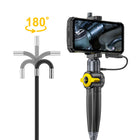
The precision option. A two-way 180° steering probe, 6 dimmable LEDs, a 1-metre bendable cable, IP67, and a dedicated handle.
The steering tip is the functional difference. A fixed endoscope shows you where the probe happens to point; a steerable one lets you look around a bend, inspect the far side of an obstruction, or track along a weld without withdrawing and re-inserting. The trade-off is reach — the bendable cable is 1 metre against the E02’s 2 metres — which tells you what it’s designed for: detailed inspection at shorter range rather than long duct runs.
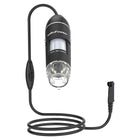
uSmart C01 — Digital Microscope Camera
A genuinely different instrument. 50X–1000X magnification with a 25X–50X focal length, 8 dimmable LED lights, a 60° visual angle, micrometer calibration and a portable design. Ulefone lists it for Armor Series rugged phones with the uSmart Expansion Connector.
Micrometer calibration is the specification that makes this a work tool rather than a curiosity: it means you can measure what you’re looking at, not just magnify it. At these magnifications that covers solder joint inspection, PCB rework verification, textile and fibre inspection, material and surface finish checks, and agricultural work like identifying pests or assessing leaf damage.
uSmart E01 — Endoscope
The original endoscope in the line, listed for devices with the uSmart Expansion Connector. Ulefone’s product page does not publish resolution, cable length or an IP rating for it, so we’re not going to state figures we can’t source — check the current product page before specifying it.
A note on the uSmart H01
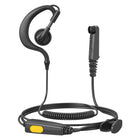
There is also a uSmart H01, described as a single-ear walkie-talkie earpiece with a built-in microphone and a dedicated push-to-talk button, designed to work with Zello, and usable for music and calls. It carries uSmart branding, but its product page describes it as an earpiece without stating that it connects through the uSmart Expansion Connector. If push-to-talk is what you’re after, our Push-to-Talk (PoC) & Walkie-Talkie guide covers how that works on Ulefone devices.
Which Ulefone models have the uSmart connector
uSmart Expansion Connector 2.0 — 19 models
Phones: Armor 27, Armor 27T, Armor 28 Pro, Armor 28 Ultra, Armor 28 Ultra Thermal Version, Armor 29 Pro, Armor 29 Pro Thermal Version, Armor 29 Ultra, Armor 30, Armor 30 Pro, Armor 33, Armor 33 Pro, Armor 34, Armor 34 Pro, RugKing
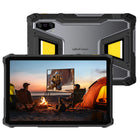
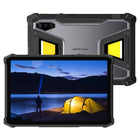
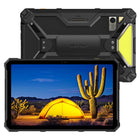
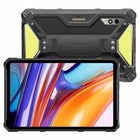
Tablets: Armor Pad 5 Pro, Armor Pad 5 Ultra, RugKing Pad Pro, RugKing Pad 2 Pro
uSmart Expansion Connector (no version stated) — 5 models
Armor 24 Pro, Armor 26 Ultra, Armor 26 Ultra Walkie-Talkie Version, Armor 27 Pro, Armor 27T Pro
One thing Ulefone has not published is a compatibility matrix mapping each accessory to each connector version. If you’re buying an accessory for a specific handset — particularly one of the five models without a stated version — confirm compatibility with the retailer or with Ulefone before ordering.
On the tablets, the larger screen changes the experience meaningfully: inspecting a weld or a PCB on an 11-inch Armor Pad 5 display shows detail that a phone screen compresses away. More on that in Rugged Tablets for Field Work.
Who this is actually for
Electricians — inspecting behind consumer units and junction boxes, tracing cable runs through cavities, checking terminations in enclosures without full disassembly.
HVAC and plumbing — ductwork interiors, heat exchangers, blocked drains and waste pipes, checking for corrosion inside a system without cutting it open.
Automotive technicians — cylinder bores, engine bays, behind trim and dash assemblies, inside transmission housings.
Quality control and electronics repair — the C01’s territory. Solder joint inspection, component verification, surface finish checks, incoming materials inspection, all with measurement rather than estimation.
Agriculture — pest identification and leaf or grain damage assessment at magnification, in the field rather than back at a lab. See Rugged Phones for Agriculture & Forestry Work.
Building and facilities inspection — looking inside wall cavities, ceiling voids and service risers without opening them up.
The common thread is that all of these otherwise require a dedicated instrument. A standalone industrial borescope or inspection microscope is a second device to buy, charge, carry and keep calibrated. The uSmart approach puts the optics on an accessory and uses the phone you already carry as the screen, the processor and the storage.
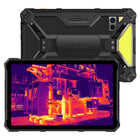
It’s worth being clear about the boundary, though: a uSmart endoscope is an inspection camera, not a thermal camera. If the question is “where is the heat”, that’s a different sensor — see our Thermal Imaging Phone Buying Guide. And if the question is “I can’t see in the dark”, that’s the night vision camera. Several Ulefone models carry all three.
FAQ
What is the uSmart Expansion Connector?
It is a dedicated accessory port built into the back of Ulefone rugged phones and tablets, separate from the USB-C charging port. Accessories such as endoscopes and a digital microscope camera attach directly to it, without a dongle or Bluetooth pairing.
Can the phone charge while a uSmart accessory is connected?
Yes on most models. 21 of the 24 Ulefone devices that list the connector state in their specifications that charging can continue while the uSmart Connector is in use, in several cases specifying charging via the Type-C port. The Armor 24 Pro, Armor 26 Ultra and Armor 26 Ultra Walkie-Talkie Version sheets do not address this.
Which Ulefone phones and tablets have a uSmart port?
Twenty-four models. Nineteen list “uSmart Expansion Connector 2.0”: the Armor 27, 27T, 28 Pro, 28 Ultra, 28 Ultra Thermal Version, 29 Pro, 29 Pro Thermal Version, 29 Ultra, 30, 30 Pro, 33, 33 Pro, 34, 34 Pro, RugKing, Armor Pad 5 Pro, Armor Pad 5 Ultra, RugKing Pad Pro and RugKing Pad 2 Pro. Five list the connector without a version: the Armor 24 Pro, Armor 26 Ultra, Armor 26 Ultra Walkie-Talkie Version, Armor 27 Pro and Armor 27T Pro.
What accessories are available for uSmart?
Four: the uSmart E01 endoscope; the uSmart E02 “Endoscope 2.0” with dual camera, 1080P resolution, 7 dimmable LEDs, a 2 m cable and IP67 rating; the uSmart E03 two-way 180° rotatable endoscope with 6 dimmable LEDs and a 1 m bendable cable, IP67; and the uSmart C01 digital microscope camera with 50X–1000X magnification, 8 dimmable LEDs and micrometer calibration.
What is the difference between the uSmart E02 and E03 endoscopes?
The E02 has a dual camera, 1080P resolution, 7 dimmable LEDs and a 2 m cable, making it the better choice for longer runs such as ducting and drains. The E03 has a two-way 180° steerable probe, 6 dimmable LEDs and a shorter 1 m bendable cable, making it the better choice when you need to look around bends or inspect the far side of an obstruction. Both are IP67 rated.
How much magnification does the uSmart C01 microscope provide?
Ulefone lists 50X to 1000X magnification with a 25X–50X focal length, 8 dimmable LED lights, a 60° visual angle and micrometer calibration.
Does a uSmart endoscope replace a thermal camera?
No. An endoscope is an inspection camera that shows you what is physically there in a space you can’t see into. A thermal camera detects heat signatures. They answer different questions, and some Ulefone models carry both.