





Rugged Tablets for Field Work: When a Phone Isn’t Enough
There’s a specific moment when a phone stops being the right tool. You’re standing in a plant room trying to read a wiring schematic, pinching and dragging around a 6.8-inch screen, losing your place every time you zoom. Or you’re filling in the fourteenth inspection form of the day with a thumb keyboard. Or a client is standing next to you and you’re both squinting at the same handset.
None of those are durability problems. A rugged phone survives the environment fine. They’re screen area problems, and no amount of toughness fixes them.
That’s the case for a rugged tablet — and it’s a narrower case than tablet marketing usually suggests. Here’s how to tell whether you’re actually in it, and what separates the models once you are.
When a tablet genuinely beats a phone
Four situations come up repeatedly in field work:
You read large documents. Floor plans, wiring diagrams, P&IDs, parts diagrams, site drawings. These were drawn for a sheet of paper, and a 10- to 12-inch screen is the smallest thing that renders them usefully.
You fill in structured forms all day. Inspection checklists, asset registers, delivery manifests, maintenance logs. On a phone this is thumb-typing into cramped fields; on a tablet it’s a real keyboard layout and a form you can see in full.
You show things to other people. Handing over a survey result, walking a client through a quote, briefing a crew. A phone becomes a passing-around exercise.
You need the device to run all day without a charger, or to carry hardware a phone can’t. This is where the specs start to diverge sharply.
If none of those describe your day, a rugged phone is the better tool — it’s lighter, it fits in a pocket, and it does everything else. Our rugged phone buying guide covers that side.
First, a distinction that matters: not every tablet is a rugged tablet
This catches people out, including buyers who assume a brand known for rugged phones only makes rugged tablets.
Ulefone’s lineup contains two different kinds of tablet:
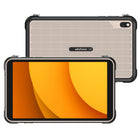
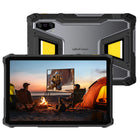
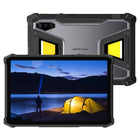
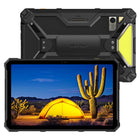
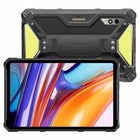
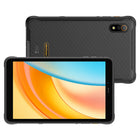
Rugged tablets — the Armor Pad and RugKing Pad families. Every one of them is rated IP68, IP69K and MIL-STD-810H on its specification sheet, and their stated working temperature ranges run from −30 °C to 55 °C (Armor Pad 3 Pro, Armor Pad 4 Ultra) or −20 °C to 55 °C (Armor Pad 5 series, RugKing Pad models).
Standard tablets — the Tab series (Tab A9 Pro, Tab A11 Pro, Tab A12 Pro). Their specification sheets list certification as N/A, and their working temperature ranges start at only −5 °C or −10 °C. These are consumer and home-use tablets. They are not built for a worksite and shouldn’t be specified as if they were.
If the device is going to a job site, the IP69K line is the one to check. It covers high-pressure, high-temperature water jets — the washdown case — which is a meaningfully different test from simple immersion. We’ve explained both in IP68 vs IP69K, and the drop and vibration side in MIL-STD-810H Explained.
Battery: the number that surprises people — and the weight that comes with it
Tablets have room for cells a phone doesn’t, and the range here is wide:
| Model | Battery | Charging | Weight |
|---|---|---|---|
| Armor Pad 3 Pro | 33,280 mAh (128.128 Wh) | 66W | 1242.9 g |
| Armor Pad 5 Ultra | 24,200 mAh (12,100 mAh rated at 7.74 V) | 120W | 1600 g |
| Armor Pad 5 Pro | 24,200 mAh (12,100 mAh rated at 7.74 V) | 120W | 1328 g |
| Armor Pad 4 Ultra | 11,800 mAh | 33W | 834.5 g |
| RugKing Pad 2 Pro | 10,200 mAh (Typ) / 10,000 mAh (Rated) | 18W | 706 g |
| RugKing Pad Pro | 7,100 mAh (Typ) / 7,000 mAh (Rated) | 18W | 540 g |
The Armor Pad 3 Pro’s 33,280 mAh is the largest in the range, with a stated standby time of 1,812 hours. One practical caveat worth knowing before you fly with it: at 128.128 Wh it sits above the 100 Wh threshold that airlines apply to lithium batteries in carry-on baggage. Batteries between 100 Wh and 160 Wh generally require airline approval in advance. If the device travels by air regularly, check with the carrier — or choose a lower-capacity model.
Weight is the honest trade-off, and it’s a factor of three across this range. The 540 g RugKing Pad Pro is something you can genuinely hold one-handed through a shift. The 1600 g Armor Pad 5 Ultra is a two-handed device, or a mounted one. Neither is wrong — but a crew that carries the tablet all day and a crew that docks it in a vehicle want opposite ends of this table.
Screen: size, and the brightness number that actually decides outdoor use
| Model | Screen | Resolution | Peak brightness |
|---|---|---|---|
| Armor Pad 5 Pro / 5 Ultra | 11-inch | 1920 × 1200 FHD+ | 600 nits |
| Armor Pad 3 Pro / 4 Ultra | 10.36-inch | 1200 × 2000 FHD+ | 500 nits |
| RugKing Pad 2 Pro | 10.1-inch | 1280 × 800 HD+ | 600 nits |
| RugKing Pad Pro | 8.68-inch | 1340 × 800 HD+ | 860 nits |
Two things are worth reading off this table. The highest brightness figure in the range belongs to the smallest tablet — the RugKing Pad Pro at 860 nits — which makes it the strongest option on this measure for work that happens in direct sun. And if your use case is reading dense drawings, resolution matters as much as diagonal: the 11-inch Armor Pad 5 models at 1920 × 1200 render fine detail better than the HD+ RugKing panels.
Every one of these supports 10-point multi-touch and Gloves Mode, which raises touchscreen sensitivity so the panel responds through glove material — the single most-requested feature from crews who work in cold or who wear PPE gloves all day.
The specialist variants
This is where a tablet can do something no phone in the range does.
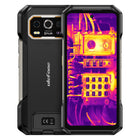
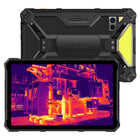
Thermal imaging — Armor Pad 4 Ultra Thermal Version. A thermal sensor at 160 × 120 resolution, 25 Hz refresh, 12 μm pixel pitch and NETD < 50 mK, running Ulefone’s ThermoVue app. The 25 Hz refresh rate is the number to notice: it makes scanning a moving view — walking a wall, panning along a pipe run — far more usable than slower sensors, and you’re reading the result on a 10.36-inch screen instead of a phone display. For how thermal imaging is used and what the numbers mean, see our Thermal Imaging Phone Buying Guide.
Built-in projector — Armor Pad 5 Ultra only. A 200-lumen maximum projector with a 26° upward throw angle, automatic keystone correction to ±40° and autofocus. This is a genuine site-briefing tool: put a drawing on a wall or the side of a van for a whole crew instead of passing a screen around. Note carefully that the Armor Pad 5 Pro does not have the projector — its specification sheet lists all projector fields as N/A. The two models are otherwise closely matched, so this is the feature that separates them.
Work lights. The Armor Pad 3 Pro and Armor Pad 4 Ultra carry a 483-LED camping light rated to a maximum 1100 lumens; the Armor Pad 5 Pro and 5 Ultra carry a 754-LED Versatile LED Light rated to a maximum 1000 lumens, plus a separate 64-LED warning light that produces simulated red, blue and red-blue light patterns with matching siren audio — a genuinely unusual inclusion aimed at roadside and incident work.
uSmart Expansion Connector 2.0 is present on the Armor Pad 5 Pro, Armor Pad 5 Ultra, RugKing Pad Pro and RugKing Pad 2 Pro, supporting uSmart series accessories while charging simultaneously.
Night vision cameras are on the Armor Pad 5 Pro and 5 Ultra: a 64 MP OV64B sensor alongside the 64 MP Sony IMX682 main camera. The RugKing Pad models do not list a night vision camera. More on how this differs from thermal in our night vision camera guide.
Mounting and charging in a vehicle
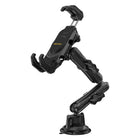
If the tablet lives in a van, a truck cab or on a forklift, connector wear becomes the failure point — a USB-C port plugged and unplugged a dozen times a day in a dusty cab has a limited life.
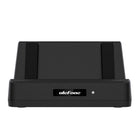
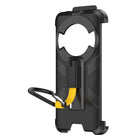
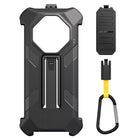
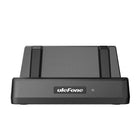
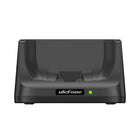
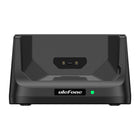
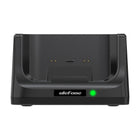
The RugKing Pad Pro and RugKing Pad 2 Pro both support pogo-pin dock charging at up to 18 W, which removes that cycle entirely: the tablet drops onto a cradle and charges through contacts. The Armor Pad 5 Pro and 5 Ultra list dock charging as N/A and charge over their 120 W wired connection instead.
The RugKing Pad 2 Pro also carries a built-in eSIM alongside its three physical card slots, which is useful for fleets that provision data centrally or operate across borders — see eSIM Explained.
Which rugged tablet fits which job
| If your work is… | Consider | Why |
|---|---|---|
| All-day handheld, outdoors, bright sun | RugKing Pad Pro | Lightest at 540 g, highest brightness in the range at 860 nits |
| Vehicle-mounted, docked between stops | RugKing Pad 2 Pro | Pogo-pin dock charging, built-in eSIM, 10.1-inch screen at 706 g |
| Longest possible runtime away from power | Armor Pad 3 Pro | 33,280 mAh, 1,812 h standby — note the 128.128 Wh air-travel caveat |
| Thermal inspection — electrical, HVAC, building envelope | Armor Pad 4 Ultra Thermal Version | 160 × 120 thermal at 25 Hz, NETD < 50 mK, on a 10.36-inch screen |
| Briefing crews or clients on site | Armor Pad 5 Ultra | The only model with the built-in 200-lumen autofocus projector |
| Heavy document and form work, 5G, fastest charging | Armor Pad 5 Pro | 11-inch 1920 × 1200, Dimensity 7400X, 12 GB + 512 GB, 120 W charging |
| Cold-climate work | Armor Pad 3 Pro / 4 Ultra | Rated to −30 °C, the widest range in the lineup |
Not sure whether you need a tablet at all, or which family of device fits? Start with Armor Series vs Armor X Series vs RugKing.
FAQ
When is a rugged tablet better than a rugged phone?
When the work involves reading or annotating large documents such as drawings and schematics, filling in structured forms repeatedly, showing information to other people, or running specialist hardware like a thermal sensor or projector on a larger screen. For calls, photos and quick lookups, a rugged phone is lighter and more practical.
Are all Ulefone tablets rugged?
No. The Armor Pad and RugKing Pad families are rated IP68, IP69K and MIL-STD-810H. The Tab series (Tab A9 Pro, Tab A11 Pro, Tab A12 Pro) lists certification as N/A on its specification sheets and has a narrower working temperature range, starting at −5 °C or −10 °C. The Tab series is intended for consumer and home use rather than field work.
Which Ulefone rugged tablet has the biggest battery?
The Armor Pad 3 Pro, at 33,280 mAh (128.128 Wh), with a stated standby time of 1,812 hours. Because it exceeds 100 Wh, airlines generally require advance approval to carry it in cabin baggage.
Which Ulefone tablet has a built-in projector?
Only the Armor Pad 5 Ultra. It has a 200-lumen maximum projector with a 26° upward throw angle, automatic keystone correction to ±40° and autofocus. The Armor Pad 5 Pro does not include a projector.
Can you use a rugged tablet with gloves on?
Yes. All of the rugged tablets in the range list Gloves Mode support, which raises touchscreen sensitivity so the display responds through glove material.
Which rugged tablet works best in direct sunlight?
On the published brightness figures, the RugKing Pad Pro at 860 nits peak is the brightest in the range, ahead of the Armor Pad 5 Pro, Armor Pad 5 Ultra and RugKing Pad 2 Pro at 600 nits and the Armor Pad 3 Pro and Armor Pad 4 Ultra at 500 nits.