






eSIM Explained: How It Works, Why It Matters, and Which Phones Support It in 2026
TL;DR: An eSIM (embedded SIM) is a digital SIM built into a phone's hardware instead of a removable plastic card. You activate it by scanning a QR code or using a carrier app, and the profile downloads in minutes — no store visit, no physical swap. It's especially useful for travel, running multiple numbers on one device, and switching carriers without a new card. The main tradeoff: moving to a new phone takes an extra step, since a damaged or lost device can't simply have its SIM popped out and reinserted elsewhere. eSIM support has now expanded into rugged phones too, including Ulefone's new Armor 22 Pro and Armor 24 Pro.
If you've bought a phone recently, you've probably run into the term "eSIM" — sometimes as a nice-to-have feature, increasingly as the only option, since a growing number of flagship phones now skip the physical SIM tray entirely. This guide explains what eSIM actually is, how it works in practice, the real advantages and tradeoffs, and which phones — including rugged ones — support it in 2026.
What Is eSIM?
An eSIM (embedded SIM) is a small chip built directly into a phone's motherboard that stores your mobile carrier's network profile digitally. It does the same job as a traditional plastic SIM card — identifying your device to a mobile network so you can make calls, send texts, and use data — but instead of a removable card you insert and swap, the profile is downloaded and stored electronically. Because it's not a physical component, a device can typically hold several carrier profiles at once, switching between them digitally rather than requiring a new card for each one.
How Does eSIM Work?
Activating an eSIM is a digital process rather than a physical one:
- Get your carrier's eSIM profile — usually delivered as a QR code, or through a direct activation link in a carrier's app
- Scan the QR code or tap the activation link in your phone's settings
- The profile downloads over Wi-Fi or existing mobile data — no store visit or waiting for a card to arrive in the mail
- Your line activates, typically within a couple of minutes, connecting to the network the same way a physical SIM would
Because the profile lives on the device itself rather than a removable card, switching networks becomes a software action rather than a physical one — useful for travelers who want a local carrier's data plan, or anyone managing more than one number on a single device.
eSIM vs. Physical SIM: What's Actually Different
| Physical SIM | eSIM | |
|---|---|---|
| Setup | Insert a plastic card into a tray | Scan a QR code or use a carrier app |
| Switching carriers | Requires a new physical card | Download a new profile digitally |
| Moving to a new phone | Remove the card, insert it in the new device | Requires carrier authorization to transfer or reactivate |
| Multiple numbers | Requires a dual-SIM tray (if the phone has one) | Can typically store multiple profiles on one chip |
| Physical vulnerability | Can be physically removed or lost | Can't be physically removed from the device |
| Initial activation | Works immediately once inserted | Requires an internet connection to download the profile |
| Device without a functioning screen | Card can still be moved to another phone | Harder to transfer without accessing device settings or carrier support |
Neither option is universally "better" — the right choice depends on how often you switch phones, travel, or need multiple active numbers.
Why eSIM Matters (The Real Advantages)
Faster activation, especially while traveling. Instead of finding a local SIM vendor after landing in a new country, you can activate a local carrier's data plan before you even leave the airport, provided you have Wi-Fi to download the profile.
Multiple numbers on one device. A single phone can carry a work profile and a personal profile, or a home carrier and a travel-specific data plan, switching between them without swapping any hardware.
Nothing to lose or damage physically. Because the chip is soldered into the device, there's no small plastic card to misplace, and no SIM tray or pin-ejector tool required.
Easier carrier switching. Changing plans or providers becomes a digital process rather than a trip to a store, in markets where carriers support it.
The Real Tradeoffs (Not Just Marketing)
eSIM isn't a strict upgrade in every scenario, and it's worth being direct about the tradeoffs:
- Switching phones takes an extra step. With a physical SIM, moving to a new device is as simple as removing the card and inserting it elsewhere. With eSIM, you typically need carrier authorization to transfer or reactivate the profile — a process that can take anywhere from a few minutes to, in some cases, closer to a day depending on the carrier.
- A damaged device complicates things. If a phone's screen is cracked or unresponsive, activating a replacement device may require contacting carrier support directly, since you can't simply move a physical card to the new phone.
- Not every phone or region supports it. Some budget devices and certain regional phone variants don't include eSIM hardware at all — worth confirming before assuming a device supports it.
- Initial setup needs connectivity. Activating an eSIM for the first time requires Wi-Fi or existing mobile data to download the profile, which isn't an issue for most users but is worth knowing in advance of travel to areas with limited connectivity.
Why eSIM Matters for Field and Industrial Work
Beyond travel convenience, eSIM has a practical use case that's easy to overlook: teams that need to separate a work line from a personal line, or switch carriers when working across different regions, without physically managing SIM cards in the field. A field service technician covering multiple job sites, or a logistics driver crossing into an area served by a different regional carrier, benefits from being able to manage that connectivity digitally rather than carrying spare SIM cards or opening a device tray in less-than-ideal conditions.
This is part of why eSIM support is increasingly showing up in rugged and field-focused devices, not just consumer flagships — it's a genuine functional fit for how these devices actually get used, not just a spec sheet addition.
Which Phones Support eSIM in 2026?
eSIM support has expanded significantly. Major smartphone lines — including iPhone, Samsung Galaxy, and Google Pixel — support it across most current models, and a growing number of flagship phones now ship without a physical SIM tray at all.
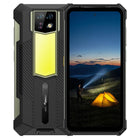
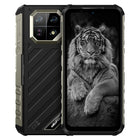
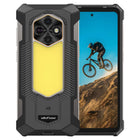
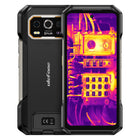
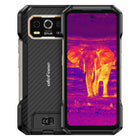
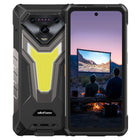
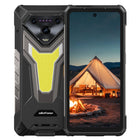
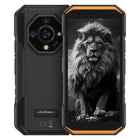
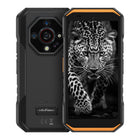
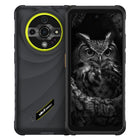
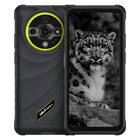
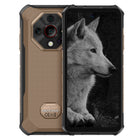
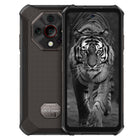
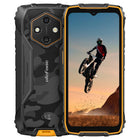
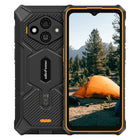
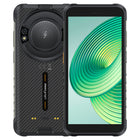
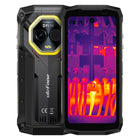
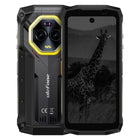
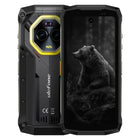
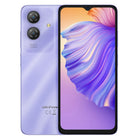
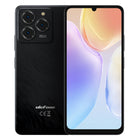
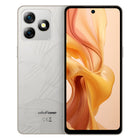
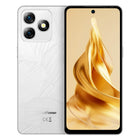
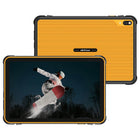
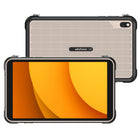
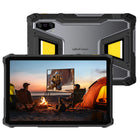
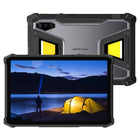
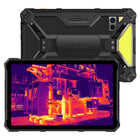
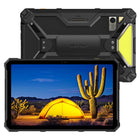
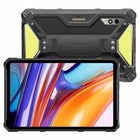
That support has extended into rugged devices as well. Ulefone's Armor 22 Pro and Armor 24 Pro are the newest additions to the Armor lineup to support eSIM, giving field teams and industrial users the same digital SIM flexibility as consumer flagships, built into a device designed to survive drops, dust, and water exposure on the job.
Frequently Asked Setup Questions
Do I need Wi-Fi to activate an eSIM? Yes, for the initial download — after that, the profile works over mobile data like a normal SIM.
Can I keep my physical SIM and add an eSIM too? On dual-SIM-capable devices, yes — many phones support running a physical SIM and an eSIM profile simultaneously.
What if I'm switching from an old phone with a physical SIM? Most carriers can issue you a new eSIM profile for the new device rather than requiring you to physically transfer anything — check with your specific carrier for their process.
FAQ
Q: What is an eSIM? A: An eSIM (embedded SIM) is a digital SIM built directly into a phone's hardware instead of a removable plastic card. Rather than inserting a physical SIM, you download a carrier profile digitally, activate it in your device settings, and connect to a network the same way a traditional SIM would.
Q: How does eSIM work? A: An eSIM works by storing your carrier's network profile on a small embedded chip soldered into the device. To activate it, you scan a QR code or use a carrier's app, the profile downloads over Wi-Fi or existing data, and the line goes live within a few minutes — no store visit or physical card required.
Q: Is eSIM better than a physical SIM? A: It depends on the use case. eSIM is generally better for travel, switching carriers, and running multiple numbers on one device. A physical SIM is generally easier when moving a number to a new phone quickly, since eSIM transfers require carrier authorization rather than simply moving a card.
Q: Can I use two numbers with eSIM? A: Yes. Most eSIM-supporting phones can store multiple carrier profiles and let you choose which one handles calls, texts, or data at any given time — commonly used to separate a work number from a personal number, or a home carrier from a local travel plan, on a single device.
Q: What happens if my phone breaks and I have an eSIM? A: This is one of eSIM's real tradeoffs. If a device is damaged or unresponsive, you can't simply move the SIM to a new phone the way you would with a physical card — you'll typically need carrier support to reactivate or transfer the profile to a replacement device, which can take longer than swapping a physical SIM.
Q: Do rugged phones support eSIM? A: Increasingly, yes. eSIM support has expanded from flagship consumer phones into rugged and field-focused devices, including Ulefone's Armor 22 Pro and Armor 24 Pro, giving field teams the ability to switch carriers or manage multiple profiles without needing to open a SIM tray in the field.
Final Thoughts
eSIM isn't a gimmick or a downgrade dressed up as an upgrade — it's a genuinely different way of managing mobile connectivity, with real advantages for travel, multi-number use, and field work across regions, and a real tradeoff in how device transfers work. Whether it's the better choice for you depends less on which technology is newer and more on how often you switch devices versus how often you switch networks or need multiple active lines. As eSIM support extends further into rugged and field-focused devices like the Armor 22 Pro and Armor 24 Pro, that flexibility is no longer limited to consumer flagships — it's available on devices built for the environments where it's arguably most useful.
Explore Ulefone's eSIM-supported rugged phones: Armor 24 Pro, Armor 22 Pro