
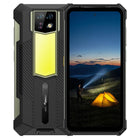
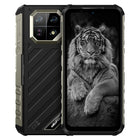
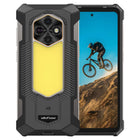





Dual-Screen Rugged Phones: What the Rear Display Is Actually For
Two things are being called "dual-screen"
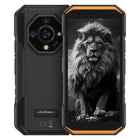
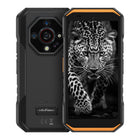
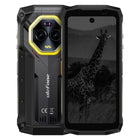
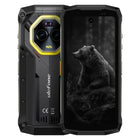
If you compare two rugged phones that both advertise a second display, you may be comparing a 3.4-inch tablet-grade touchscreen against something closer to a smartwatch face. Both are legitimate designs. They solve different problems, and only one of them changes how you use the phone.
Here is how the two approaches divide across the Ulefone Armor line:
| Model | Second screen | Size | Resolution | Touch | AOD |
|---|---|---|---|---|---|
| Armor 33 Pro | Back Display | 3.4-inch | 412 × 960 HD+ | 5-point | not stated |
| Armor 30 Pro | Back Display | 3.4-inch | 412 × 960 | 5-point | not stated |
| Armor 29 Ultra | Sub Display | 1.04-inch | 340 × 340 HD+ | Single | Support |
| Armor 29 Pro | Sub Display | 1.04-inch | 340 × 340 HD+ | Single | Support |
| Armor 29 Pro Thermal Version | Sub Display | 1.04-inch | 340 × 340 HD+ | Single | Support |
| Armor 28 Ultra | Sub Display | 1.04-inch | 340 × 340 HD+ | Single | Support |
| Armor 28 Ultra Thermal Version | Sub Display | 1.04-inch | 340 × 340 HD+ | Single | Support |
| Armor 28 Pro | Sub Display | 1.04-inch | 340 × 340 HD+ | Single | Support |
Two models, one panel size, one job. Six models, a much smaller panel, a different job. Worth knowing before you shop on the phrase alone.
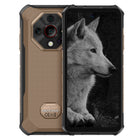
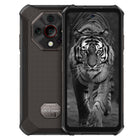
The 3.4-inch rear touchscreen: a second Android display
On the Armor 33 Pro and Armor 30 Pro, the rear panel is specified as follows:
| Field | Armor 33 Pro | Armor 30 Pro |
|---|---|---|
| Screen Size | 3.4-inch | 3.4-inch |
| Screen Resolution | 412 × 960 HD+ | 412 × 960 |
| Brightness | Max 600 nits | Max 600 nits |
| Refresh Rate | 60Hz | 60Hz |
| Multi-touch | 5-point | 5-point |
Ulefone describes it as "the largest 3.4-inch secondary screen ever on a unibody smartphone," and says it is "as sharp, smooth and responsive as the main screen."
What makes this different from a notification strip is the Dual Screen Settings section of the specification, which documents four distinct modes.
Dual Screen Intelligence Display. Both screens are available, but only one is active at a time. To move from one to the other on the Armor 30 Pro, you double-click a floating icon on the right side of the screen you are using, then flip the phone over within five seconds to carry on from the other side. The work you are doing travels with you.
Main Screen Display. The back screen is disabled. The phone behaves like an ordinary single-screen handset.
Sub-screen Display. The main screen is disabled and the back screen runs on its own. This is the mode that tells you what the rear panel really is — not an accessory to the main display, but a display the operating system can live on by itself.
Dual Screen Mirroring. Both screens show the same content at the same time. Only one of them accepts touch input: by default the screen you are currently facing, though you can set either one to be the touch-operable side manually.
In Main Screen Display, Sub-screen Display and Dual Screen Mirroring, double-tapping the touch-enabled screen wakes or sleeps it. On the Armor 30 Pro the specification adds a limit worth knowing: double-tap-to-sleep works only from the home screen and lock screen, not from inside an app.
Mirroring is the mode most people reach for first, because its use is immediately obvious. You can show somebody a photo, a reading, a form or a delivery record without handing over your phone or turning it around, and you keep touch control while they look. Ulefone puts it plainly for the Armor 33 Pro: the back screen "fully mirrors the contents and operations from the main screen."
What the specification does not say. Three use cases get repeated for rear screens across the industry, and none of them appear in Ulefone's specification sheets or on the Armor 33 Pro and Armor 30 Pro product pages: using the back screen as a viewfinder for rear-camera selfies, using it as a low-power notification surface to extend battery life, and running two different apps on the two screens at once. The last one is explicitly ruled out — every documented mode shows either one screen, or the same content on both. The first two are not ruled out, but they are not promised either, and this article will not claim them until they are documented.
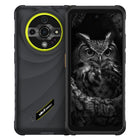
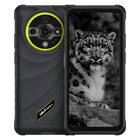
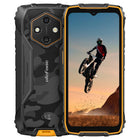
The 1.04-inch sub display: a glance panel
The Armor 29 and Armor 28 series take the opposite approach. Their second screen is 1.04-inch, 340 × 340, AMOLED, max 600 nits, 60Hz, single-touch — and it does support always-on display mode, the one capability the larger 3.4-inch panel's specification leaves blank.
Its function list is fixed rather than open-ended. The specification sheets name exactly seven things:
- Interface Display
- Watch Face
- Music Playback
- Photo Capture
- Notifications
- Status
- Personal Signature
That list is the honest description of this kind of screen. It is not a second phone. It is a panel you look at without unlocking anything — glance at the time, skip a track, see who is calling, check a status, and frame a shot on the rear camera. Photo Capture is on the list, which means the small sub display officially covers the rear-camera framing case that the 3.4-inch panel's specification is silent about.
Always-on display is the meaningful difference in daily use. A 1.04-inch AMOLED showing a watch face is a glanceable surface in a way a 3.4-inch 60Hz panel with no documented AOD mode is not.
What a second screen costs you
Nothing, in the two places people expect it to.
Thickness and footprint. The Armor 33 Pro measures 185.5 × 85.5 × 34 mm at 776.5 g; the Armor 30 Pro measures 181.3 × 84.9 × 21.2 mm at 509 g. The back screen is laminated into the existing chassis rather than bolted onto it, so it does not push the body out.
Battery. The Armor 33 Pro still carries 25,500mAh (98.685 Wh) with 66W charging, rated at 1,380 hours standby and 104 hours talk time. The Armor 30 Pro carries 12,800mAh (49.536 Wh) with the same 66W charging, rated at 690 hours standby and 69 hours talk time. Neither trades capacity for the second display.
Main display. Both keep a full-size 6.95-inch, 1080 × 2460 FHD+ main screen at 120Hz, 10-bit colour and 700 nits peak brightness. The back panel is additive — it does not shrink the front.
The one thing the rear screen is bundled with is the rest of the Pro specification: a MediaTek Dimensity 7300X, 16GB LPDDR5 RAM with 16GB dynamic expansion, 512GB UFS3.1 storage, and Wi-Fi 6E on the Armor 33 Pro or Wi-Fi 6 on the Armor 30 Pro.
If the Armor 33 Pro's 25,500mAh figure is the part that caught your eye rather than the screen, our guide to big battery phones, mAh ratings and real-world runtime explains what those numbers translate to in use.
So what is the rear display actually for?
Based strictly on what is documented:
Showing something to another person while keeping control of the phone. Dual Screen Mirroring with manual touch assignment is purpose-built for this. A technician showing a customer a meter reading, a driver showing a recipient a delivery record, an inspector showing a site manager a photo — in each case the screen faces them and the controls stay with you.
Using the phone without turning it over. The Intelligence Display handoff exists because, on a 776.5 g phone in a glove, flipping is a deliberate act and the system needs to follow you across it.
Running the phone on a smaller, dimmer, 60Hz panel when you choose to. Sub-screen Display mode disables the 6.95-inch 120Hz main display entirely. Ulefone does not publish a battery figure for this mode, so we will not claim one — but the capability is there, and a 3.4-inch 60Hz 600-nit panel is a materially less demanding display than a 6.95-inch 120Hz 700-nit one.
On the 1.04-inch sub display: glancing and framing. Watch face, notifications, status, music, and rear-camera photo capture, with always-on display support.
What it is not for on current hardware: running two apps side by side across both screens. Every documented mode shows one screen, or the same thing on both.
Which one should you pick?
| If you need... | Model to look at | Why |
|---|---|---|
| A rear screen you can actually operate | Armor 33 Pro, Armor 30 Pro | 3.4-inch, 412 × 960, 5-point touch, four display modes |
| Maximum runtime alongside the rear screen | Armor 33 Pro | 25,500mAh, 66W charging, 1,380 h standby, Wi-Fi 6E |
| A rear screen in the lighter, slimmer body | Armor 30 Pro | 509 g and 21.2 mm, same 3.4-inch panel |
| A glanceable always-on rear panel | Armor 29 Ultra / 29 Pro / 28 Ultra / 28 Pro | 1.04-inch AMOLED, AOD supported, seven documented functions |
| Rear-camera framing documented in the specs | Armor 29 and Armor 28 series | "Photo Capture" is a listed Sub Display function |
If you are still choosing between Ulefone's ranges rather than between individual models, start with Armor Series vs Armor X Series vs RugKing, and our rugged phone complete buying guide covers how a second screen stacks up against the features that usually matter more.
Both rear-screen models also carry the same 64MP OV64B night vision camera, so if you are shooting in the dark and framing on the back panel, how night vision on a rugged phone actually works is the companion read. And if a 3.4-inch second screen has you wondering whether you want a bigger display outright, rugged tablets for field work covers the point where a phone stops being the right tool.
FAQ
Which Ulefone phones have a rear display? Two models have a 3.4-inch Back Display: the Armor 33 Pro and the Armor 30 Pro. Six models have a 1.04-inch Sub Display: the Armor 29 Ultra, Armor 29 Pro, Armor 29 Pro Thermal Version, Armor 28 Ultra, Armor 28 Ultra Thermal Version and Armor 28 Pro.
How big is the rear screen on the Ulefone Armor 33 Pro? 3.4 inches, at 412 × 960 HD+ resolution, 60Hz refresh rate, maximum 600 nits brightness, with five-point multi-touch. The Armor 30 Pro uses the same 3.4-inch, 412 × 960, 60Hz, 600-nit panel with five-point touch.
Can the rear screen run apps on its own? Yes. Sub-screen Display mode disables the main screen and runs the phone from the back display alone. It is a full Android display, not a notification panel.
Can you run two different apps on the two screens at once? No. The four documented modes are Dual Screen Intelligence Display (one screen active at a time), Main Screen Display (back screen off), Sub-screen Display (main screen off), and Dual Screen Mirroring (both screens showing the same content, one touch-enabled). None of them puts different content on the two screens.
How do you switch between the front and back screens? In Dual Screen Intelligence Display mode on the Armor 30 Pro, you double-click the floating icon on the right side of the screen you are using, then flip the phone over within five seconds to continue on the other side. In the other modes, double-tapping the touch-enabled screen wakes or sleeps it — on the Armor 30 Pro, double-tap-to-sleep works only from the home screen and lock screen.
Does the rear screen make the phone thicker or cost battery capacity? No. The Armor 33 Pro is 34 mm thick and carries 25,500mAh (98.685 Wh); the Armor 30 Pro is 21.2 mm thick and carries 12,800mAh (49.536 Wh). Both keep a full 6.95-inch 120Hz FHD+ main display as well.
What can the 1.04-inch sub display on the Armor 29 and Armor 28 series show? Seven documented functions: Interface Display, Watch Face, Music Playback, Photo Capture, Notifications, Status, and Personal Signature. It is a 340 × 340 AMOLED panel at maximum 600 nits and 60Hz, single-touch, and it supports always-on display mode.
Can you use the rear screen as a viewfinder for rear-camera selfies? On the Armor 29 and Armor 28 series, yes — "Photo Capture" is a documented Sub Display function. For the 3.4-inch Back Display on the Armor 33 Pro and Armor 30 Pro, Ulefone's specifications do not list camera framing as a documented function, so we are not claiming it.