

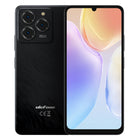

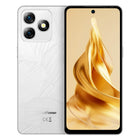


Thermal Imaging Phone Comparison: Which Ulefone Armor Model Fits Your Job
TL;DR
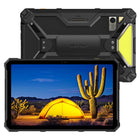
- Best for electricians (value pick): Armor 27T Pro+ — the entry point into Ulefone's thermal lineup, priced for daily diagnostic work without the extras you may not need.
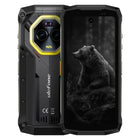
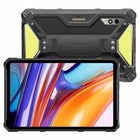
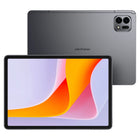
- Best for HVAC and multi-role technicians: Armor 29 Pro Thermal Version — adds a secondary display for quick temperature readouts without unlocking the main screen.
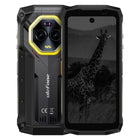
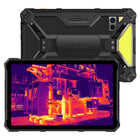
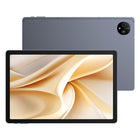
- Best overall / most capable: Armor 28 Ultra Thermal Version — Ulefone's top-tier thermal model, built for teams that want the fullest feature set alongside thermal imaging.
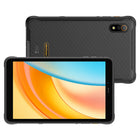
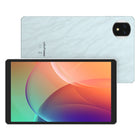
- Best for portability: Armor Mini 20T Pro — a compact-body phone that still carries a thermal camera, for anyone who doesn't want to carry a full-size rugged phone.
- If you haven't decided whether a thermal imaging phone is worth it in the first place, start with our Thermal Imaging Buying Guide before using this comparison.
Quick Comparison Table
| Model | Price | Dual Screen | Best For | Standout Trait |
|---|---|---|---|---|
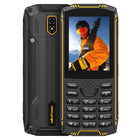
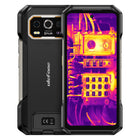
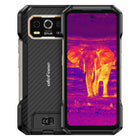
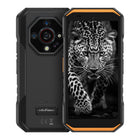
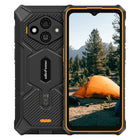
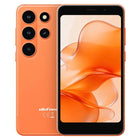
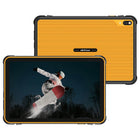
| Armor Mini 20T Pro | $469.99 | No | Techs who want a smaller, lighter body | Most compact thermal phone in the lineup |
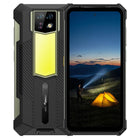
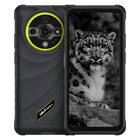
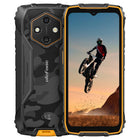
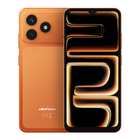
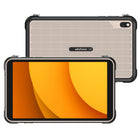
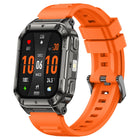
| Armor 27T Pro+ | $579.99 | No | Electricians on a budget, daily spot-checks | Lowest-priced entry into Ulefone's thermal lineup |
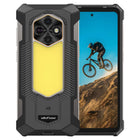
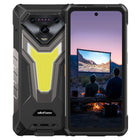
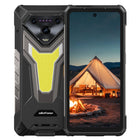
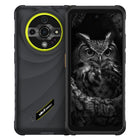
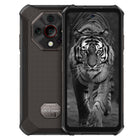
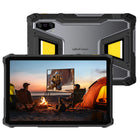
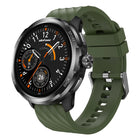
| Armor 29 Pro Thermal Version | $799.99 | Yes | HVAC techs, multi-site field crews | Second display for quick reads without unlocking |
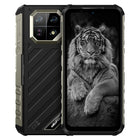
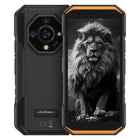
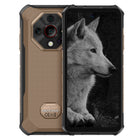
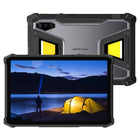
| Armor 28 Ultra Thermal Version | $1,199.99 | Yes | Teams wanting Ulefone's most complete thermal device | Flagship-tier build and feature set |
Prices reflect Ulefone's listed pricing at the time of publishing and are subject to change — check each product page for current pricing and full specifications.
Best for Electricians: Armor 27T Pro+
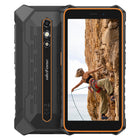
For electricians who mainly need a thermal camera to spot overheating breakers, loose connections, or overloaded circuits during routine inspections, the Armor 27T Pro+ is the practical starting point. It carries Ulefone's thermal imaging hardware without the added cost of a second display, making it the most budget-friendly way to add thermal diagnostics to your toolkit. If your thermal use case is "check it, document it, move to the next panel," you likely don't need to pay for features beyond this.
Best for HVAC and Multi-Role Field Techs: Armor 29 Pro Thermal Version
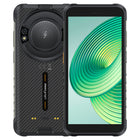
HVAC technicians and workers who move between multiple job types often check temperature readings dozens of times a day — refrigerant lines, duct leaks, compressor housings. The Armor 29 Pro Thermal Version adds a secondary display, so you can glance at a thermal reading or notification without fully unlocking and navigating the main screen. In a job where your hands are often dirty, wet, or gloved, cutting down on unlock-and-swipe steps is a real time saver, not just a novelty.
Best Overall: Armor 28 Ultra Thermal Version
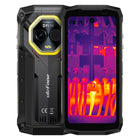
If budget isn't the deciding factor and you want Ulefone's most fully equipped thermal device, the Armor 28 Ultra Thermal Version sits at the top of the lineup. It's built for crews or supervisors who want one device that covers thermal diagnostics alongside the rest of a demanding workday, without compromises on build quality or feature set. It's the right pick when the phone needs to be the single tool a technician carries all day, not just a thermal-imaging add-on.
Best for Portability: Armor Mini 20T Pro
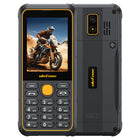
Not every job favors a large-body rugged phone. Surveyors, inspectors, and techs who are on their feet and moving between sites all day may prefer something that doesn't weigh down a pocket or belt holster. The Armor Mini 20T Pro brings thermal imaging into a smaller form factor, trading some of the bulk of the larger Armor models for portability — worth considering if you've found full-size rugged phones cumbersome for all-day carry.
How to Choose Between These Four
| If you... | Consider |
|---|---|
| Just need basic thermal spot-checks and want the lowest price | Armor 27T Pro+ |
| Check temperatures constantly throughout the day and want faster access | Armor 29 Pro Thermal Version |
| Want the most complete device Ulefone offers, budget aside | Armor 28 Ultra Thermal Version |
| Prioritize a smaller, lighter phone over screen size | Armor Mini 20T Pro |
FAQ
Do all four models use the same thermal camera? Thermal camera specifications can vary by model and are updated as Ulefone releases new hardware. Check each product page for the exact thermal resolution and temperature range before purchasing, especially if your work requires a specific level of accuracy.
Is the second display on the Armor 28 Ultra and Armor 29 Pro actually useful, or just a gimmick? For technicians who check thermal readings frequently throughout the day, a secondary display cuts down on repeatedly unlocking the main screen — useful when your hands are gloved, wet, or dirty. If you only use thermal imaging occasionally, it's a nice-to-have rather than a necessity.
Can I use these phones for anything other than thermal imaging? Yes — all four are full rugged smartphones first, with thermal imaging as an added capability. They're built to the same durability standards as the rest of the Ulefone Armor lineup, so they're suited to general field use, not just thermal diagnostics.
Which model should a first-time thermal imaging buyer choose? If you're new to thermal imaging phones and want to test whether the feature fits your workflow before committing to a higher-end device, the Armor 27T Pro+ is the lowest-cost way in. You can always move to the Armor 28 Ultra or Armor 29 Pro on a future upgrade once you know exactly how you use the feature.
How is this different from your Thermal Imaging Buying Guide? The Thermal Imaging Buying Guide helps you decide whether a thermal imaging phone is worth it for your job in the first place. This article assumes you've already answered "yes" and helps you pick which specific Ulefone model to buy.